Sunday, December 13, 2020

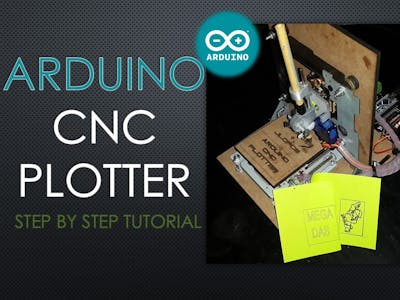
guy shows how to build painting plotter and paints face with words

https://create.arduino.cc/projecthub/Guiye_Perez_Bongiovanni/penxzyl-3-0-arduino-brush-plotter-cnc-2f35f3 


-----------------------------------------------------------------------------


PENXZYL 3.0 :: Arduino Brush Plotter :: CNC © GPL3+

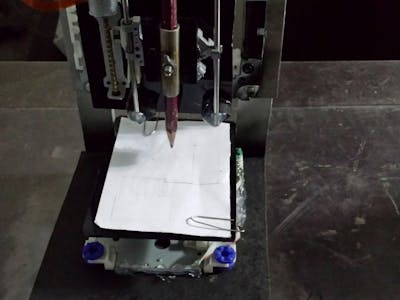
A pen plotter adapted with a brush to paint in oil.

  • 12,594 views
  • 9 comments
  • 37 respects

Components and supplies

Ph a000067 iso (1) wzec989qrf
Arduino Mega 2560

×1

Adafruit Motor Shield V1

×1
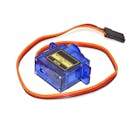
Sg90 servo motor 180 degrees sg90 micro
SG90 Micro-servo motor

×1

Brush

×1

Artist's oil colour

×4

Stepping motor for dvd recorder

×2

Wires

×1

Necessary tools and machines

09507 01
Soldering iron (generic)


Apps and online services

About this project

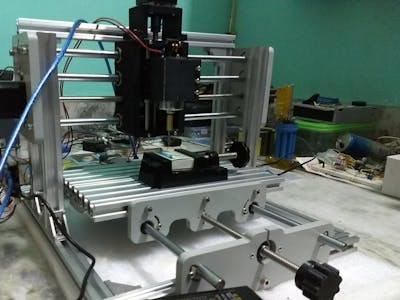
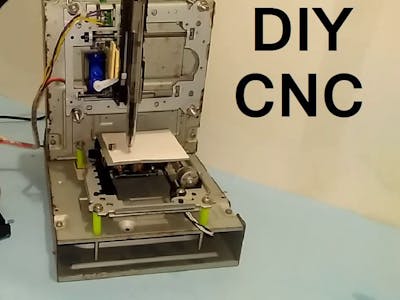
PENXZYL is an artistic-electronic project. It is a plotter that paints in oil. It is an improved version of my previous 2-axis pen plotter: https://vimeo.com/124412245.

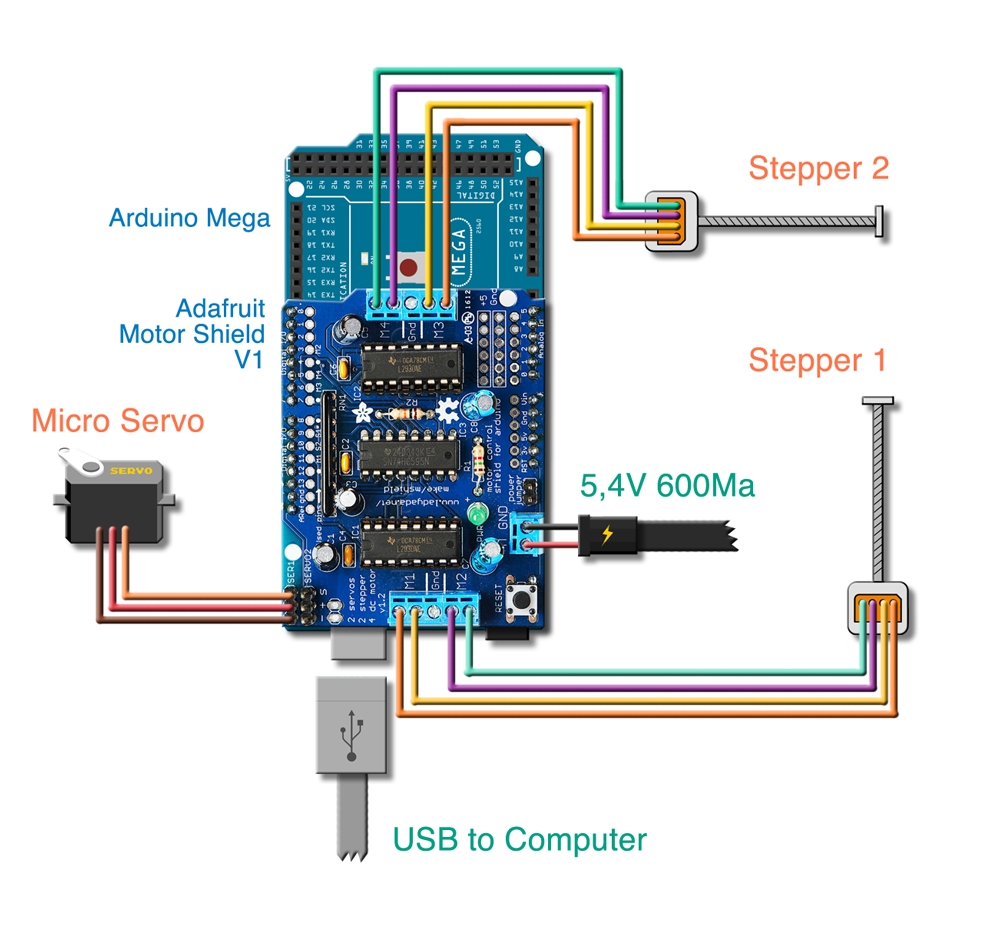
Among other improvements, I added the Z axis and instead of using a fiber, I use a brush and oil containers. It is manufactured with two motors of recycled DVD recorders, a servo, an Arduino Mega 2560, and an Adafruit Motor Shield. From a computer, the drawing data is sent in G-code, which is interpreted by the boards, moving the motors according to the coordinates and generating the drawings.

Code

PENXZYL_Brush_Plotter.inoArduino
/* 
 Mini CNC Brush Plotter firmware, based in TinyCNC https://github.com/MakerBlock/TinyCNC-Sketches
 Send GCODE to this Sketch using gctrl.pde https://github.com/damellis/gctrl
 Convert SVG to GCODE with MakerBot Unicorn plugin for Inkscape available here https://github.com/martymcguire/inkscape-unicorn
 More information about the Mini CNC Plotter here (german, sorry): http://www.makerblog.at/2015/02/projekt-mini-cnc-plotter-aus-alten-cddvd-laufwerken/
  */

#include <Servo.h>
#include <AFMotor.h>

#define LINE_BUFFER_LENGTH 512


char STEP = MICROSTEP ;


// Servo position for Up and Down 
const int penZUp = 15;
const int penZDown = 120;

// Servo on PWM pin 10
const int penServoPin = 10;

// Should be right for DVD steppers, but is not too important here
const int stepsPerRevolution = 20; 

// create servo object to control a servo 
Servo penServo;  

// Initialize steppers for X- and Y-axis using this Arduino pins for the L293D H-bridge
AF_Stepper myStepperY(stepsPerRevolution,1);            
AF_Stepper myStepperX(stepsPerRevolution,2);  

/* Structures, global variables    */
struct point { 
  float x; 
  float y; 
  float z; 
};

// Current position of plothead
struct point actuatorPos;

//  Drawing settings, should be OK
float StepInc = 0;
int StepDelay = 1;  // 
int LineDelay = 1;  //
int penDelay = 50;  //

// Motor steps to go 1 millimeter.
// Use test sketch to go 100 steps. Measure the length of line. 
// Calculate steps per mm. Enter here.
float StepsPerMillimeterX = 100.0; //
float StepsPerMillimeterY = 100.0; //

// Drawing robot limits, in mm
// OK to start with. Could go up to 50 mm if calibrated well. 
float Xmin = 0;
float Xmax = 40; 
float Ymin = 0;
float Ymax = 40; 
float Zmin = 0;
float Zmax = 1;

float Xpos = Xmin;
float Ypos = Ymin;
float Zpos = Zmax; 

// Set to true to get debug output.
boolean verbose = false;

//  Needs to interpret 
//  G1 for moving
//  G4 P300 (wait 150ms)
//  M300 S30 (pen down)
//  M300 S50 (pen up)
//  Discard anything with a (
//  Discard any other command!

/**********************
 * void setup() - Initialisations
 ***********************/
void setup() {
  //  Setup
  
  Serial.begin( 9600 );
  
  penServo.attach(penServoPin);
  penServo.write(penZUp);
  delay(100);

  // Decrease if necessary
  myStepperX.setSpeed(500);  //

  myStepperY.setSpeed(500);  //
  

  //  Set & move to initial default position
  // TBD

  //  Notifications!!!
  Serial.println("Mini CNC Plotter alive and kicking!");
  Serial.print("X range is from "); 
  Serial.print(Xmin); 
  Serial.print(" to "); 
  Serial.print(Xmax); 
  Serial.println(" mm."); 
  Serial.print("Y range is from "); 
  Serial.print(Ymin); 
  Serial.print(" to "); 
  Serial.print(Ymax); 
  Serial.println(" mm."); 
}

/**********************
 * void loop() - Main loop
 ***********************/
void loop() 
{
  
  delay(50); 
  char line[ LINE_BUFFER_LENGTH ];
  char c;
  int lineIndex;
  bool lineIsComment, lineSemiColon;

  lineIndex = 0;
  lineSemiColon = false;
  lineIsComment = false;

  while (1) {

    // Serial reception - Mostly from Grbl, added semicolon support
    while ( Serial.available()>0 ) {
      c = Serial.read();
      if (( c == '\n') || (c == '\r') ) {             // End of line reached
        if ( lineIndex > 0 ) {                        // Line is complete. Then execute!
          line[ lineIndex ] = '\0';                   // Terminate string
          if (verbose) { 
            Serial.print( "Received : "); 
            Serial.println( line ); 
          }
          processIncomingLine( line, lineIndex );
          lineIndex = 0;
        } 
        else { 
          // Empty or comment line. Skip block.
        }
        lineIsComment = false;
        lineSemiColon = false;
        Serial.println("ok");    
      } 
      else {
        if ( (lineIsComment) || (lineSemiColon) ) {   // Throw away all comment characters
          if ( c == ')' )  lineIsComment = false;     // End of comment. Resume line.
        } 
        else {
          if ( c <= ' ' ) {                           // Throw away whitepace and control characters
          } 
          else if ( c == '/' ) {                    // Block delete not supported. Ignore character.
          } 
          else if ( c == '(' ) {                    // Enable comments flag and ignore all characters until ')' or EOL.
            lineIsComment = true;
          } 
          else if ( c == ';' ) {
            lineSemiColon = true;
          } 
          else if ( lineIndex >= LINE_BUFFER_LENGTH-1 ) {
            Serial.println( "ERROR - lineBuffer overflow" );
            lineIsComment = false;
            lineSemiColon = false;
          } 
          else if ( c >= 'a' && c <= 'z' ) {        // Upcase lowercase
            line[ lineIndex++ ] = c-'a'+'A';
          } 
          else {
            line[ lineIndex++ ] = c;
          }
        }
      }
    }
  }
}

void processIncomingLine( char* line, int charNB ) {
  int currentIndex = 0;
  char buffer[ 64 ];                                 // Hope that 64 is enough for 1 parameter
  struct point newPos;

  newPos.x = 0.0;
  newPos.y = 0.0;

  //  Needs to interpret 
  //  G1 for moving
  //  G4 P300 (wait 150ms)
  //  G1 X60 Y30
  //  G1 X30 Y50
  //  M300 S30 (pen down)
  //  M300 S50 (pen up)
  //  Discard anything with a (
  //  Discard any other command!

  while( currentIndex < charNB ) {
    switch ( line[ currentIndex++ ] ) {              // Select command, if any
    case 'U':
      penUp(); 
      break;
    case 'D':
      penDown(); 
      break;
    case 'G':
      buffer[0] = line[ currentIndex++ ];          // /!\ Dirty - Only works with 2 digit commands
      //      buffer[1] = line[ currentIndex++ ];
      //      buffer[2] = '\0';
      buffer[1] = '\0';

      switch ( atoi( buffer ) ){                   // Select G command
      case 0:                                   // G00 & G01 - Movement or fast movement. Same here
      case 1:
        // /!\ Dirty - Suppose that X is before Y
        char* indexX = strchr( line+currentIndex, 'X' );  // Get X/Y position in the string (if any)
        char* indexY = strchr( line+currentIndex, 'Y' );
        if ( indexY <= 0 ) {
          newPos.x = atof( indexX + 1); 
          newPos.y = actuatorPos.y;
        } 
        else if ( indexX <= 0 ) {
          newPos.y = atof( indexY + 1);
          newPos.x = actuatorPos.x;
        } 
        else {
          newPos.y = atof( indexY + 1);
          indexY = '\0';
          newPos.x = atof( indexX + 1);
        }
        drawLine(newPos.x, newPos.y );
        //        Serial.println("ok");
        actuatorPos.x = newPos.x;
        actuatorPos.y = newPos.y;
        break;
      }
      break;
    case 'M':
      buffer[0] = line[ currentIndex++ ];        // /!\ Dirty - Only works with 3 digit commands
      buffer[1] = line[ currentIndex++ ];
      buffer[2] = line[ currentIndex++ ];
      buffer[3] = '\0';
      switch ( atoi( buffer ) ){
      case 300:
        {
          char* indexS = strchr( line+currentIndex, 'S' );
          float Spos = atof( indexS + 1);
          //         Serial.println("ok");
          if (Spos == 120) { 
            penDown(); 
          }
          if (Spos == 15) { 
            penUp(); 
          }
          break;
        }
      case 114:                                // M114 - Repport position
        Serial.print( "Absolute position : X = " );
        Serial.print( actuatorPos.x );
        Serial.print( "  -  Y = " );
        Serial.println( actuatorPos.y );
        break;
      default:
        Serial.print( "Command not recognized : M");
        Serial.println( buffer );
      }
    }
  }


}


/*********************************
 * Draw a line from (x0;y0) to (x1;y1). 
 * Bresenham algo from https://www.marginallyclever.com/blog/2013/08/how-to-build-an-2-axis-arduino-cnc-gcode-interpreter/
 * int (x1;y1) : Starting coordinates
 * int (x2;y2) : Ending coordinates
 **********************************/
void drawLine(float x1, float y1) {

  if (verbose)
  {
    Serial.print("fx1, fy1: ");
    Serial.print(x1);
    Serial.print(",");
    Serial.print(y1);
    Serial.println("");
  }  

  //  Bring instructions within limits
  if (x1 >= Xmax) { 
    x1 = Xmax; 
  }
  if (x1 <= Xmin) { 
    x1 = Xmin; 
  }
  if (y1 >= Ymax) { 
    y1 = Ymax; 
  }
  if (y1 <= Ymin) { 
    y1 = Ymin; 
  }

  if (verbose)
  {
    Serial.print("Xpos, Ypos: ");
    Serial.print(Xpos);
    Serial.print(",");
    Serial.print(Ypos);
    Serial.println("");
  }

  if (verbose)
  {
    Serial.print("x1, y1: ");
    Serial.print(x1);
    Serial.print(",");
    Serial.print(y1);
    Serial.println("");
  }

  //  Convert coordinates to steps
  x1 = (int)(x1*StepsPerMillimeterX);
  y1 = (int)(y1*StepsPerMillimeterY);
  float x0 = Xpos;
  float y0 = Ypos;

  //  Let's find out the change for the coordinates
  long dx = abs(x1-x0);
  long dy = abs(y1-y0);
  int sx = x0<x1 ? StepInc : -StepInc;
  int sy = y0<y1 ? StepInc : -StepInc;

  long i;
  long over = 0;

  if (dx > dy) {
    for (i=0; i<dx; ++i) {
      myStepperX.onestep(sx,MICROSTEP);
      over+=dy;
      if (over>=dx) {
        over-=dx;
        myStepperY.onestep(sy,MICROSTEP);
      }
    delay(StepDelay);
    }
  }
  else {
    for (i=0; i<dy; ++i) {
      myStepperY.onestep(sy,MICROSTEP);
      over+=dx;
      if (over>=dy) {
        over-=dy;
        myStepperX.onestep(sx,MICROSTEP);
      }
      delay(StepDelay);
    }    
  }

  if (verbose)
  {
    Serial.print("dx, dy:");
    Serial.print(dx);
    Serial.print(",");
    Serial.print(dy);
    Serial.println("");
  }

  if (verbose)
  {
    Serial.print("Going to (");
    Serial.print(x0);
    Serial.print(",");
    Serial.print(y0);
    Serial.println(")");
  }

  //  Delay before any next lines are submitted
  delay(LineDelay);
  //  Update the positions
  Xpos = x1;
  Ypos = y1;
}

//  Raises pen
void penUp() { 
  penServo.write(penZUp); 
  delay(penDelay); 
  Zpos=Zmax; 
  digitalWrite(15, LOW);
    digitalWrite(16, HIGH);
  if (verbose) { 
    Serial.println("Pen up!"); 
    
  } 
}
//  Lowers pen
void penDown() { 
  penServo.write(penZDown); 
  delay(penDelay); 
  Zpos=Zmin; 
  digitalWrite(15, HIGH);
    digitalWrite(16, LOW);
  if (verbose) { 
    Serial.println("Pen down."); 
    
    
  } 
}

Schematics

PENXZYL
Conexion ld3hdi2gck

Comments

delphy

delphy

2 years ago

Dommage que les photos soit floues, à quoi bon les mettre ?

Seguramente la compresión del video las destruyó un poco. Acá está con mayor resolución: https://vimeo.com/284936007 o acá https://www.youtube.com/watch?v=OIX7VDrOYw4

Ric

Ric

2 years ago

Guiye, wow, very creative, very cool!

Muchas gracias Ric!

Mat13

Mat13

2 years ago

Nice idea and great achievement! I'm impressed by the improvements you got from first tests to last test!

Thank you very much! I keep calibrating it for better performance and results. Soon I will upload new videos.

Ito59Brasil

Ito59Brasil

8 months ago

Hello friend, my name is Ailton and I'm from Brazil, your project is very interesting, I was excited to be able to develop one for my children to play with, tell me where you get the drawings, I can make them in CorelDraw or import vectors from the Internet, I would be honored if you could answer me, thanks.

Hello Ailton, you can make the drawings in Illustrator, in any vectorial program or download them from internet. Once you have them, you have to open and export them from Inkscape (free Linux soft vectorial) which through a plug-in (GCODE) converts the drawing into XYZ coordinates.
Thank you for writing.
Greetings.

luc_vandermeeren

luc_vandermeeren

7 months ago

I try different possibility but no result every time error in processing # include <servo.h> and no recognise "i"

Author

Guiye
Guiye Perez Bongiovanni
  • 4 projects
  • 14 followers

Published on

August 3, 2018

Members who respect this project

DefaultCnyn noo6fluiipPhotoRefkachiMaddyDefault hegmbseqq577b8329b 196f 4c27 8dd8 fddfedae69df

and 29 others

See similar projects
you might like

Similar projects you might like
Arduino Based Mini CNC 2D Plotter

Project showcase by Mrinnovative

No comments: